Before the Digital Noticeboard: How Shared Messages Found Their Audience
Before the digital noticeboard, community messages depended on place, timing, and upkeep. See how that shift changes who notices local information.
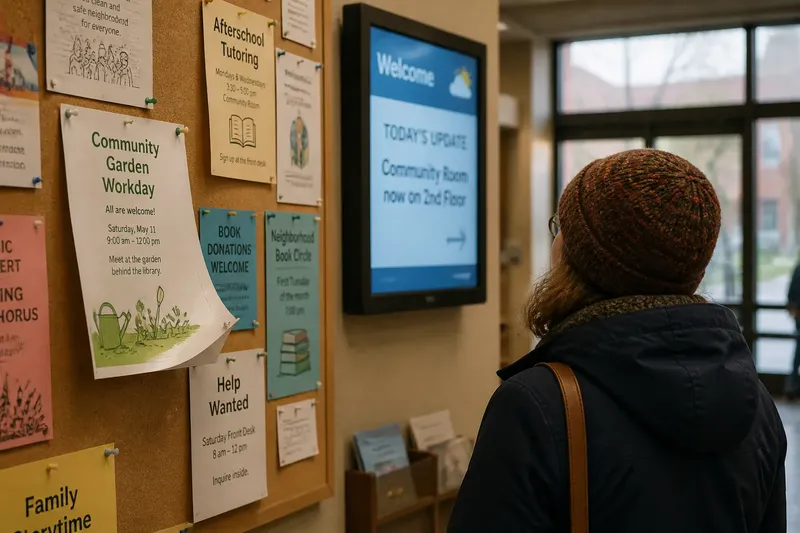
A paper flyer curls at the corner of the library bulletin board while someone pauses to read it on the way out. Nearby, a digital display changes to a new message before the same visitor has finished looking. The history of the digital noticeboard is not just a story of replacing paper with a screen. It is a shift in how local messages become visible, how long they stay available, and what people must do to encounter them.
Start with the message’s original route
Before digital displays, a community notice usually had a physical address: a corkboard by the grocery store entrance, a sheet taped to a laundromat window, or a printed program on a community center table. Its audience was made up of people who passed that place and had a reason, or enough time, to look.
This arrangement linked information to routine. A parent might see a school fundraiser notice during pickup. A bus rider might read a service announcement while waiting. The message did not travel far on its own; the person did the traveling. To understand a notice’s reach, ask which everyday route brought it into view.
That route also shaped who might miss it. Someone who rarely visited the building, could not read the posted language, or hurried past the board might never see the announcement. A notice could be public in principle yet limited in practice by its location and format.
Notice how paper gives messages a steady pace
A printed notice remains where it was placed until someone removes, covers, or replaces it. This gives readers control over timing. They can pause, reread a phone number, or return later with a friend. The board itself becomes a quiet archive of what is currently being offered, even if older material sometimes lingers too long.
That steadiness has a cost. A change to a meeting room or event time may require a new printout and another trip to the posting site. If several organizations share a board, new messages compete for space. Someone has to decide which sheets stay visible and which come down.
Imagine a neighborhood garden group that posts a workday notice beside a map at the library. If rain changes the plan, a volunteer can replace the sheet, but people who saw the earlier version may not return. The physical notice makes the original invitation easy to revisit; updating it depends on someone reaching the board.
Follow the move from fixed boards to shared screens
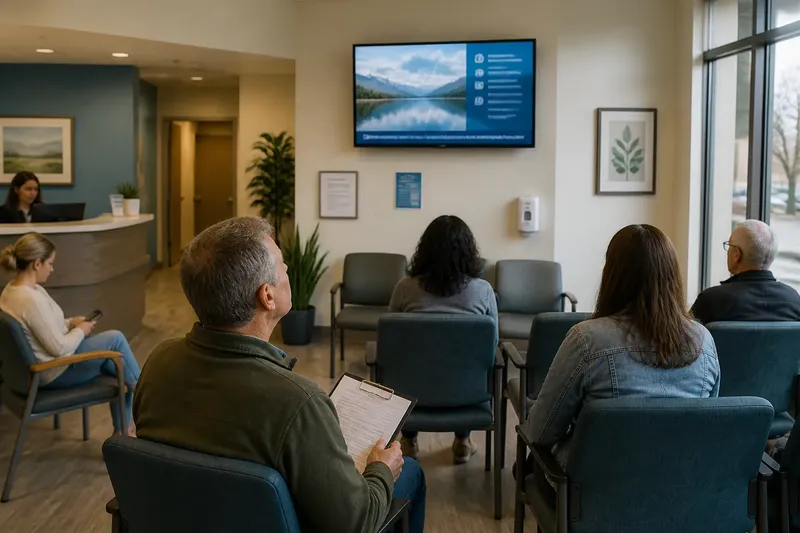
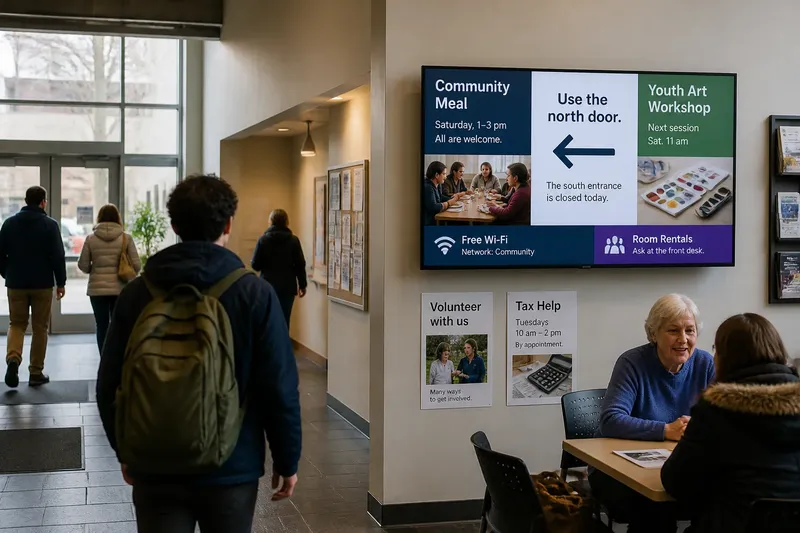
Digital displays change the location’s role. A screen mounted in a transit lobby, clinic, or recreation center can show messages from a central source rather than requiring fresh paper at every site. A local notice may rotate alongside opening information, public announcements, or event listings. The screen can be updated without changing the physical space.
That makes the message’s pace more flexible. A notice can appear for a limited period, be revised as details change, or be replaced when its purpose has passed. But flexibility also means a message may not be visible at the exact moment someone looks up. Unlike a paper sheet that stays put, a rotating item arrives and departs on the display’s schedule.
The medium therefore changes the encounter. A person standing near a board can scan several sheets at once and choose what to read. A person looking at a screen sees only what is currently on it, unless the display presents several items together. Better delivery does not automatically mean better attention.
Compare what each medium makes easy
- Finding the notice: Paper is tied to a known board or window. A screen can appear in more than one location, but readers still need to be near a display at the right time.
- Reading at a chosen pace: A paper notice stays available for rereading. A digital item may move on before a reader has taken in every detail.
- Changing information: A screen can be revised centrally. A printed sheet needs replacement, and old copies may remain elsewhere.
- Showing several messages: A board can present a cluster of notices at once. A screen can cycle through many items, though each receives only part of the viewer’s attention.
- Keeping a visible record: Paper can remain as a physical trace of community activity. Digital content can disappear from the display when the schedule changes.
These are differences in the work each medium asks of organizers and readers, not a ranking. A community may keep a paper copy beside a screen so a person can take the details away or read them without waiting for a rotation.
Choose the display for the message’s pace
When a local group decides how to share a notice, begin with its useful life. A recurring class schedule may benefit from a stable paper copy that people can consult over time. A same-day room change may suit a screen that can be updated promptly, particularly if the display is close to the affected room.
Then consider what a passerby needs to do. If the message includes a web address, a long explanation, or several dates, a screen that shows it briefly may be a poor fit on its own. A printed handout, a short link, or a companion page can let people take in the details at their own pace. If the information is brief and time-sensitive, a screen may make the change more visible to people already in the building.
Say a neighborhood group plans a cleanup and expects the meeting point to change with the weather. It could put the general invitation on a library board, then use a nearby display for the latest location on the day. Readers can return to the stable notice for the purpose and date, while the screen carries the part most likely to change.
Ask what readers need from a shared message?
Why did community noticeboards use paper?
Paper was easy to post in places people already visited, and it stayed available without requiring a schedule or a screen. Its reach depended on the location and on someone keeping the board readable.
What changes when a notice moves to a digital display?
The message can be changed or withdrawn without replacing a sheet at each location. Readers may need to catch it during a display cycle, so timing becomes part of access.
Are digital noticeboards always easier to use?
Not necessarily. They can make updates easier for organizers, but a reader may miss a message that is no longer on screen or cannot be read at a glance. The format should suit the message and the place.
Why keep paper notices alongside screens?
A paper copy gives people a stable point of reference and can carry details away from the display. Using both can help when a message needs both timely updates and unhurried reading.
Read the history in the way a place communicates
The digital noticeboard did not erase the older community board so much as separate some of its functions. Screens make rapid changes and scheduled visibility possible; paper gives a message a steady presence that visitors can approach on their own terms. Many public spaces now mix those qualities, using a screen for changing announcements and printed material for information people may want to keep.
When you encounter a local notice, notice where it sits, how long it remains available, and whether you can return to its details. Those small features reveal how the medium shapes the audience. The history of the digital noticeboard is visible not only in the equipment on a wall, but in the moments a community makes room for people to stop, look, and remember.